

- You can start a document from a template or a blank page, or upload your own
.docx,.docor.xlsxfile of up to 50 MB. - Any other file you upload on the Documents tab, such as a PDF, becomes evidence instead of a document.
- A document with no framework tag is missing from framework views, where audits usually start.
Start a document
Go to Documents in the sidebar, then start from the upload area at the top of the Documents tab:Show Import from Google Drive or OneDrive
Show Import from Google Drive or OneDrive
.doc and .docx files. OneDrive offers Personal OneDrive or Work Files (SharePoint / 365).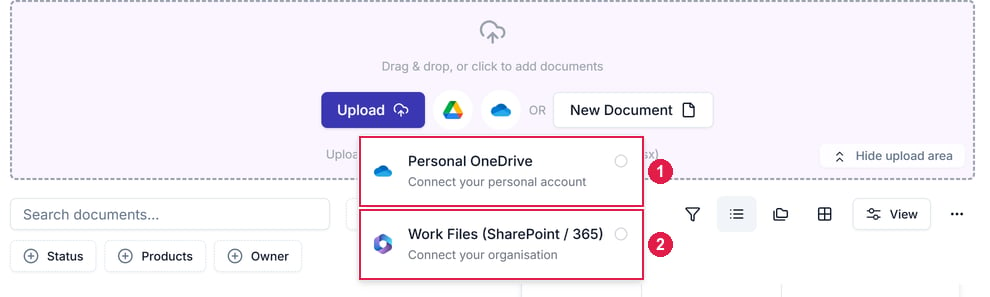
The OneDrive button's menu in the upload area. 1 is Personal OneDrive, for your personal account; 2 is Work Files (SharePoint / 365), for your organisation's account.
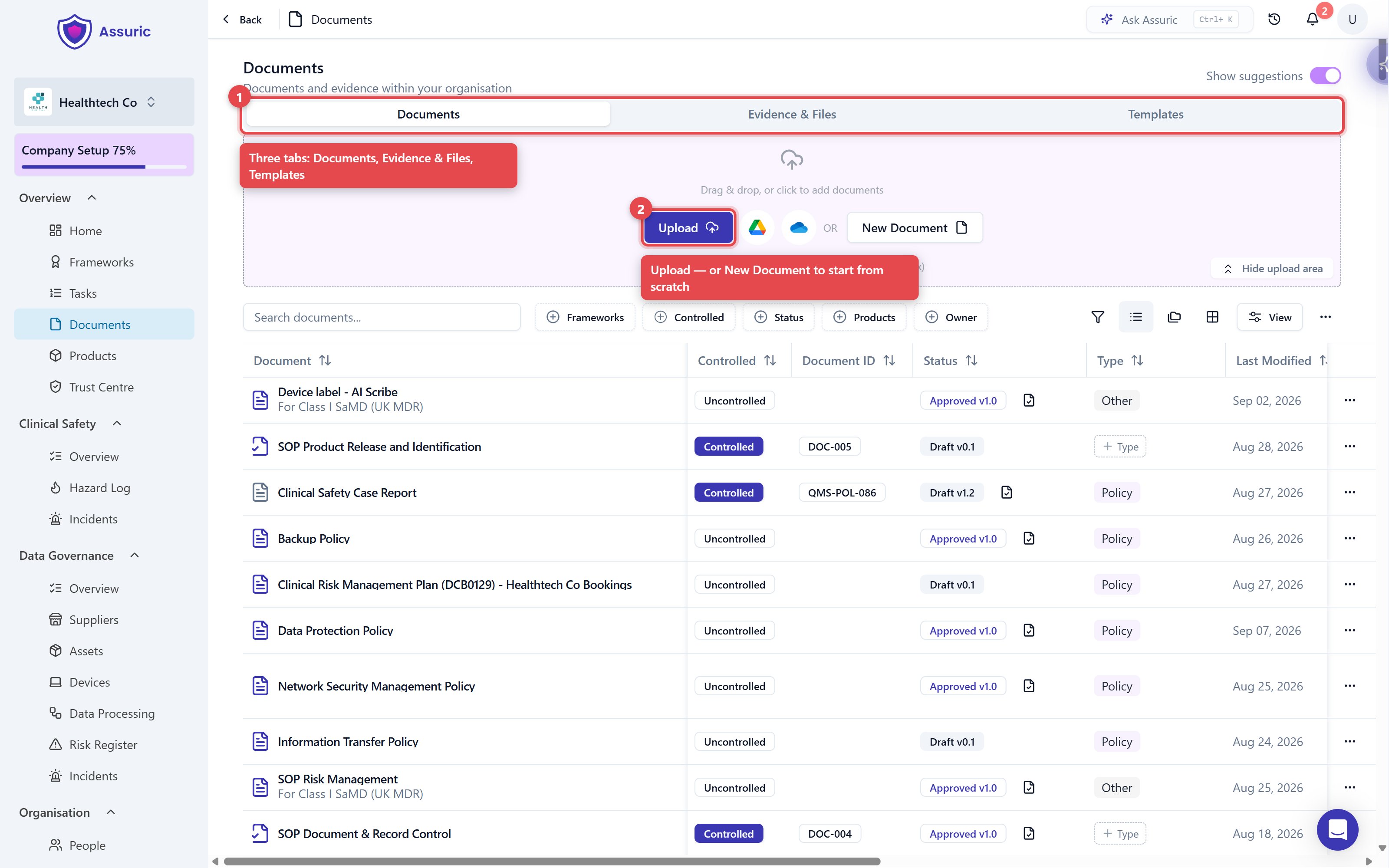
The upload area on the Documents tab. 1 is the three tabs: Documents, Evidence & Files and Templates. 2 is Upload, with New Document next to it.
Documents Assuric suggests
With Show suggestions on, the Documents tab also lists policies you don’t have yet, each tagged with the frameworks it covers. Generate drafts one from what Assuric knows about your workspace, and other parts of Assuric, such as a task, may prompt you to generate one too.Fill in the document details
Starting a document opens a dialog for its details, all of which you can change later in the document’s Settings → Document Settings.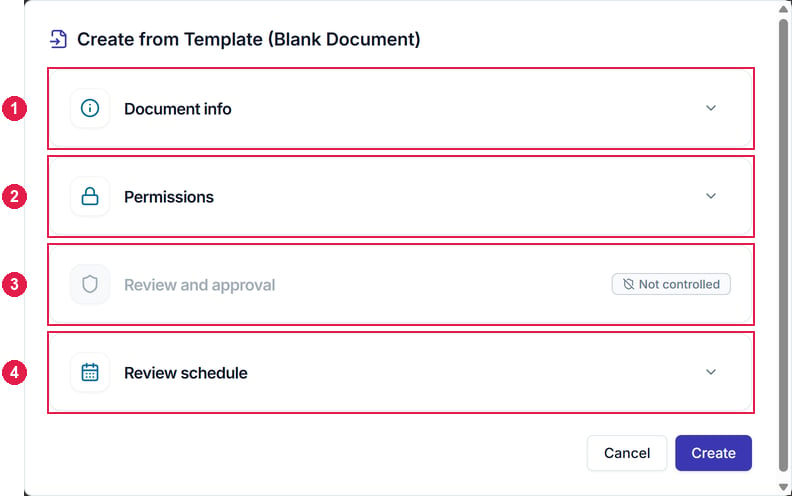
Create from Template (Blank Document), with its four sections collapsed. 1 is Document info, 2 Permissions, 3 Review and approval, which reads Not controlled until you tick Controlled, and 4 Review schedule.
Document info
DOC-POL-010.Permissions
Review and approval
Review schedule
Permissions
Everyone in your workspace can view a document, apart from people with Staff portal only permission. A document’s permissions decide who can edit it:Organise documents into folders
Switch the Documents tab between folders, list and grid views with the buttons above the table.- To create a folder, click New Folder.
- To move a document into a folder, use Move to Folder in its ⋯ menu.
- To reorder folders, drag one by its handle.
- A folder’s ⋯ menu has Edit, New Folder and Delete.
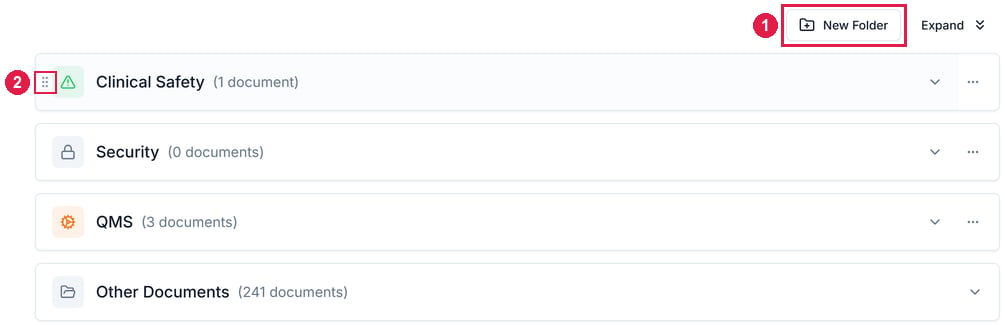
The folders view. 1 is New Folder. 2 is the Reorder folder handle, which shows when you point at a folder; drag it to change the order.