

Quick summary
- Company setup is usually the first thing to do in your onboarding. It’s where you record your company details, your people, your officers, your products and your groups.
- Company Setup details are used across Assuric; leave any identifiers you don’t have yet blank.
- Company Setup isn’t a one-off: come back whenever anything in your organisation changes.
Set up your company
Company Setup holds what the rest of the platform draws on. Use the tabs at the top to move between parts.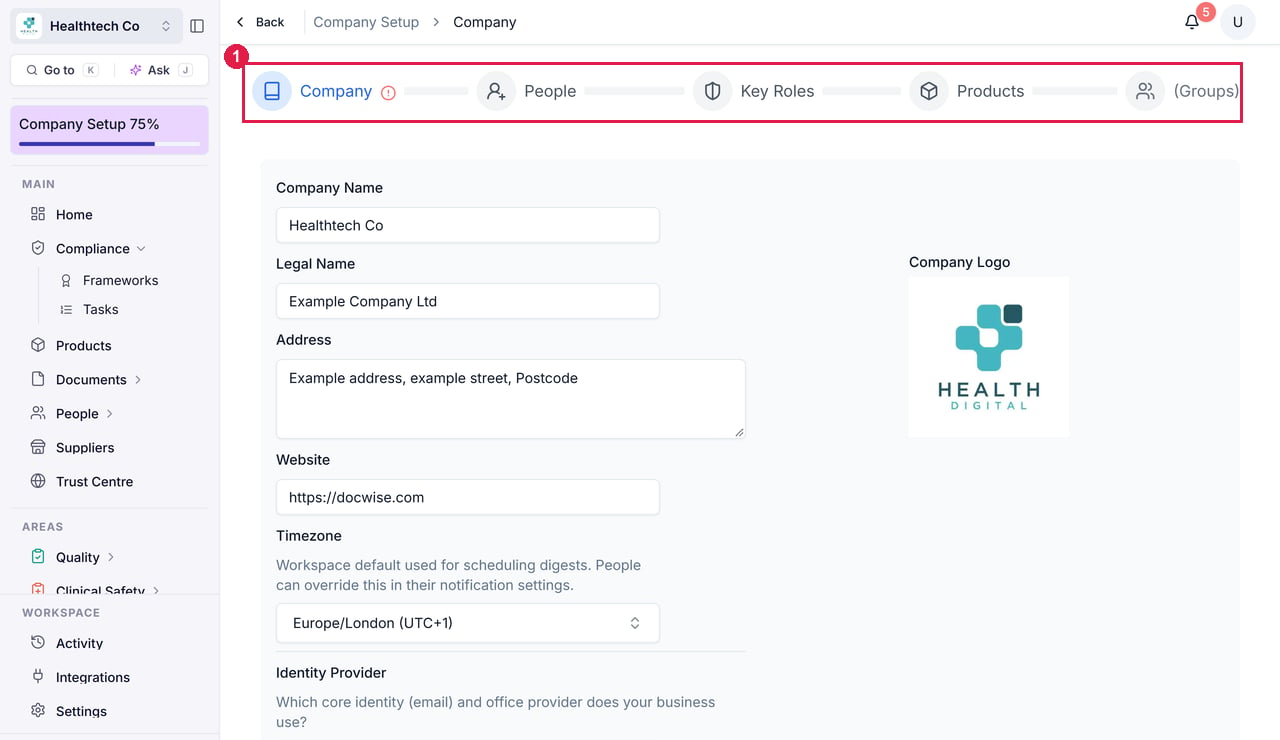
The Company Setup screen. 1 the tab strip, for moving between Company, People, Key Roles, Products and Groups.
1
Add your company information
Enter your company logo, company name, legal name, website, registered address and timezone, and any identifiers you have, such as your company registration number, ICO registration reference and ODS code.
Don’t have all of these yet? Leave them blank, and where a framework needs a code, a task explains how to get it.
2
Add your people
Click Add People to invite colleagues into the workspace.Each person gets a permission level, which controls what they can see and do, and can be assigned to groups.
3
Assign your key roles
On the Key Roles tab, name the people holding your key governance roles, including your and .
Don’t have a DPO? Assign a data protection lead instead. Many early-stage companies have no formal DPO, and that’s fine: what matters is recording who’s accountable.
4
Add your products
Add each product with a description and optional owners, then map it to its frameworks, which unlocks the product-specific tasks. Click New Product to add another.
5
Create your groups
Groups control what each part of your team must do for compliance. Assign checklists and training to a group, and everyone in it is notified to complete them.Default groups are set up, and you can add custom ones.
For example, your employees group might get a general staff checklist, and your clinical group an extra clinical safety checklist.
6
Save
Click Save & Back to return to the overview, or Next to continue.
Related articles
Inviting people
Get your colleagues into the workspace.
Adding a product
What to put in a product record.
Settings: Overview
Sign-in security, meeting schedules and your activity log, once Company Setup is done.