

Quick summary
- Assuric uses passwordless, email-verified sign-in.
- MFA is off by default, and an Admin can require it per permission level.
- Our team sets up custom SSO for identity providers other than Google.
Workspace setting: Settings → Authentication
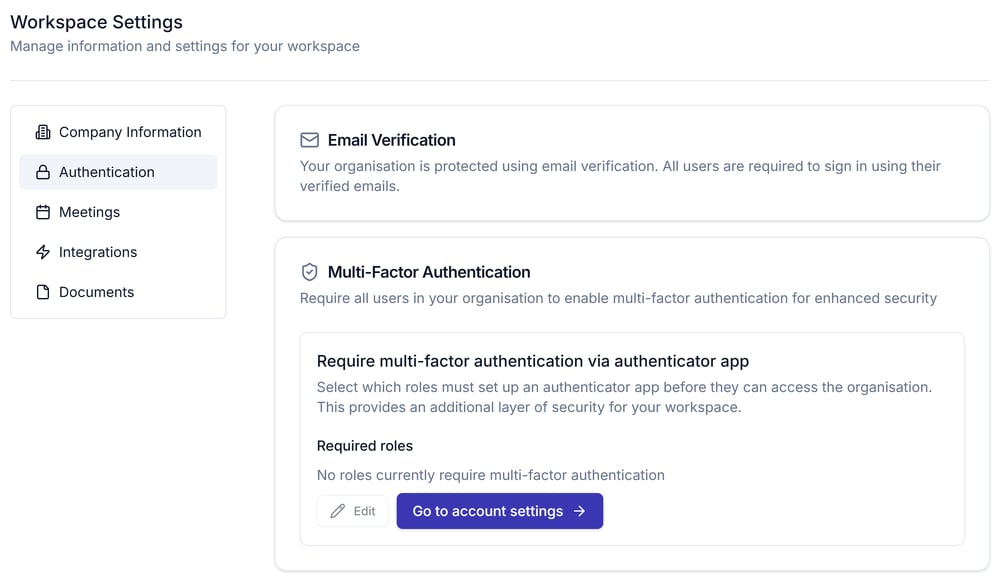
The Authentication tab, showing Email Verification and the Multi-Factor Authentication requirement.
The setting calls these levels roles, but they aren’t the roles on the Roles tab.
Requiring multi-factor authentication (MFA) for a permission level doesn’t lock out people already signed in; at their next sign-in, they must set up an authenticator app first.
Set up your own authenticator app
Anyone can set up an authenticator app from their account menu (their initial, top right): Authentication → Account Security, whether or not their permission level requires it.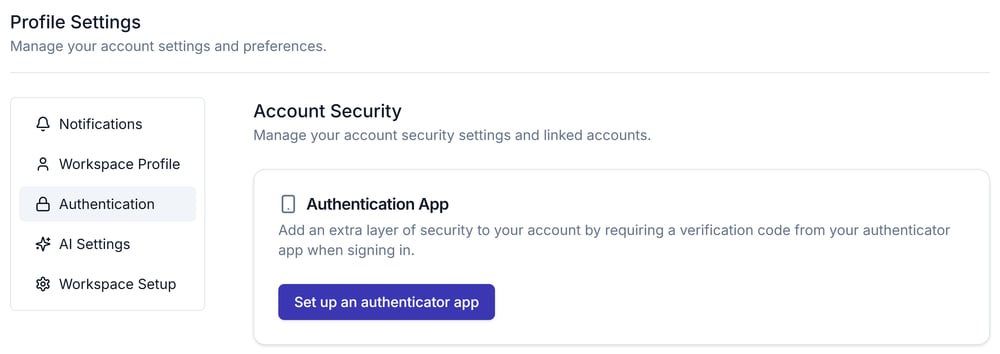
Account Security, on the Authentication tab of your profile settings, with Set up an authenticator app.
Single sign-on
Custom single sign-on isn’t self-service in this screen: our team can set it up if you use an identity provider other than Google.Related articles
Navigating Assuric
The sign-in flow this page administers.
Permissions and access (authentication and authorisation)
The permission levels the multi-factor authentication requirement is set against.