

Quick summary
- Documents lets you write, version and approve your policies and procedures in Assuric’s own editor, with your evidence kept alongside.
- A document keeps every approved version, but an evidence item stays as it was when you attached it.
- An approved document can go on your Trust Centre and staff portal, and staff can sign it off in a checklist.
Documents, evidence and templates
You write documents in Assuric’s own editor.
- Placeholders: live values keep details like your company name and role holders the same everywhere.
- Controlled documents: add a formal review cycle, with optional e-signatures.
- Approved documents: can go on your Trust Centre and staff portal, and staff can sign them off in a checklist.
Documents and evidence are both resources
A resource is a document or evidence item you attach or link to elsewhere in Assuric. When you add one to a checklist item, for example, you choose Assuric Document (at a specific approved version) or Evidence / File.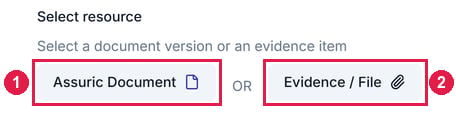
Add checklist resource asks which kind of resource you're adding. 1 is Assuric Document, for a versioned document. 2 is Evidence / File, for an evidence item.
What’s in this section
What’s covered elsewhere
Related articles
Create a document
Start a document, set its details and organise it into folders.
Document versioning
Approve a version and choose where it’s republished.