

Quick summary
- A procedure is the real document behind a policy task, and a record is the proof you followed it.
- Approving a procedure’s document updates the task’s status.
- You send an approved procedure to staff yourself, by adding it to a checklist or the staff portal.
Procedures are documents
A procedure task is a policy task: a Document task in the Policies group, like Quality Manual & Policy maintained. It names the document that answers it, a standard operating procedure (SOP) when the requirement is for a written procedure.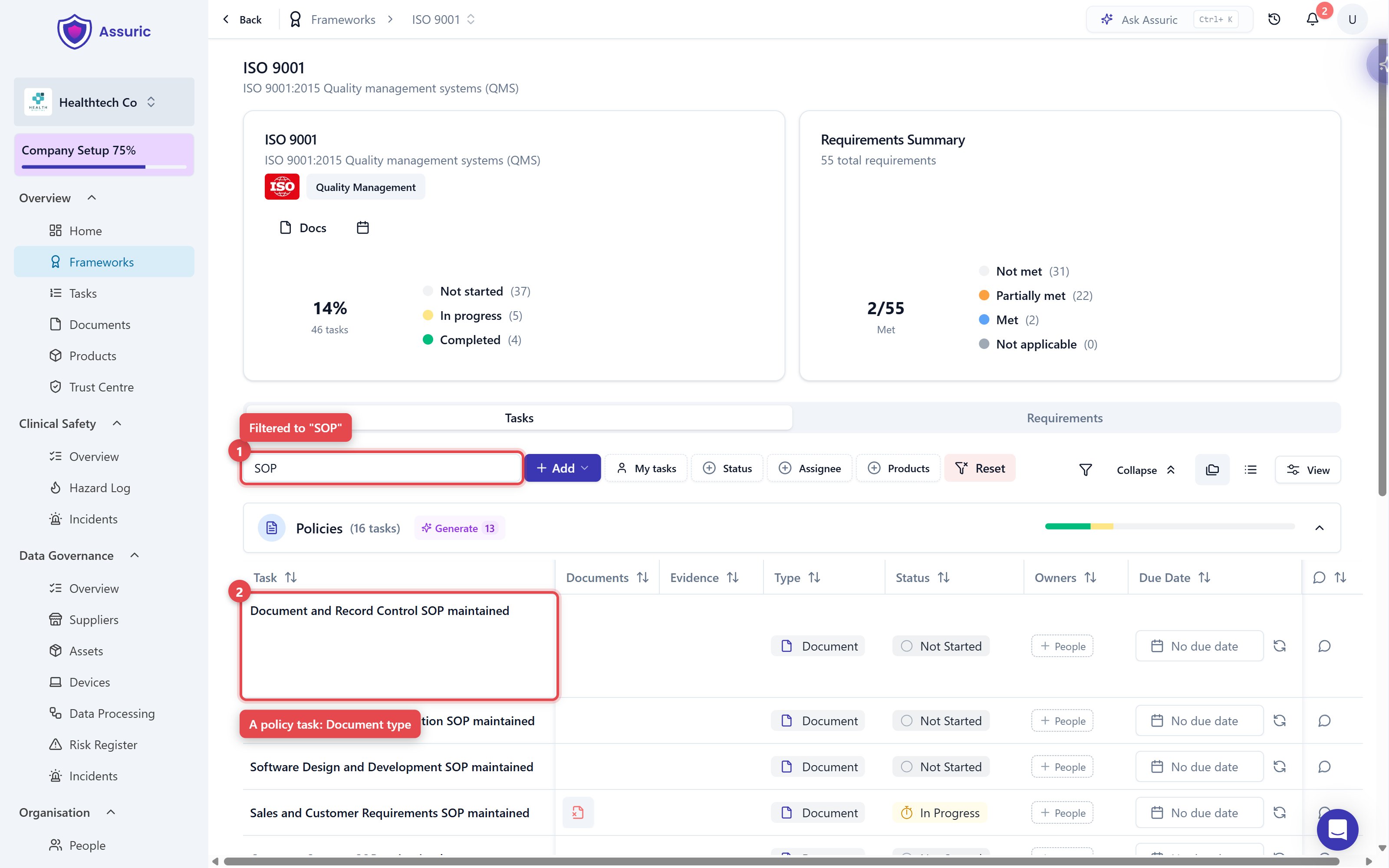
Controlled documents
Tick Controlled on the procedures your quality management system (QMS) is built on. They get a Document ID and a formal review and approval cycle, and are locked while the cycle runs and once approved.Give staff the procedures to read
Staff only get procedures you send. Once it’s approved, add the document to either of these:- A checklist: Add it as a Resources item. Staff open the document and click I have read and understood the above resources, and each person’s History keeps the version and date they confirmed, which you show an auditor.
- The staff portal: Add it to the Resources tab of your staff portal, assigned to the groups who need it.
Records
Record tasks ask for dated proof, not a document. Each has an owner from People, and most sit in the Organisation group, shared between ISO 9001 and ISO 13485.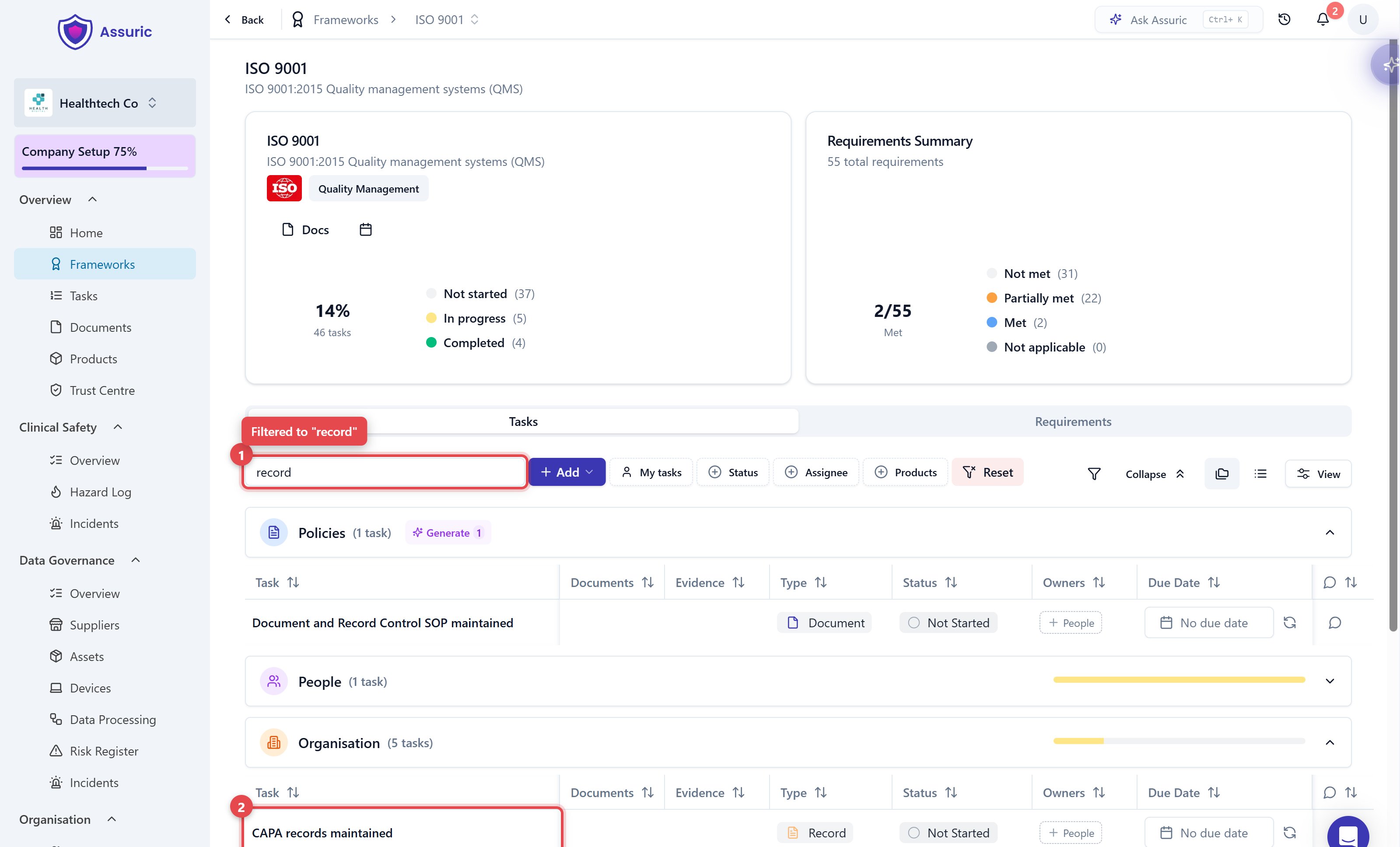
Related articles
Controlled documents
The review and approval cycle for your procedures.
Checklists: Overview
Have staff read and sign off a procedure, and keep the proof.
Audit and review records
Where your procedures and records get examined.
Quality FAQ
Quick answers to the things customers ask us most.