

Quick summary
- You can see which training modules your workspace has, and who has completed their assigned training, is overdue or hasn’t been assigned any.
- Assuric has 2 built-in training courses, and any others in your workspace are custom ones added through Add Custom Training.
- Lots of people showing Overdue or Not assigned in the Training Status table usually means training hasn’t reached everyone yet.
Training modules
Anything else listed is custom training added through Add Custom Training.
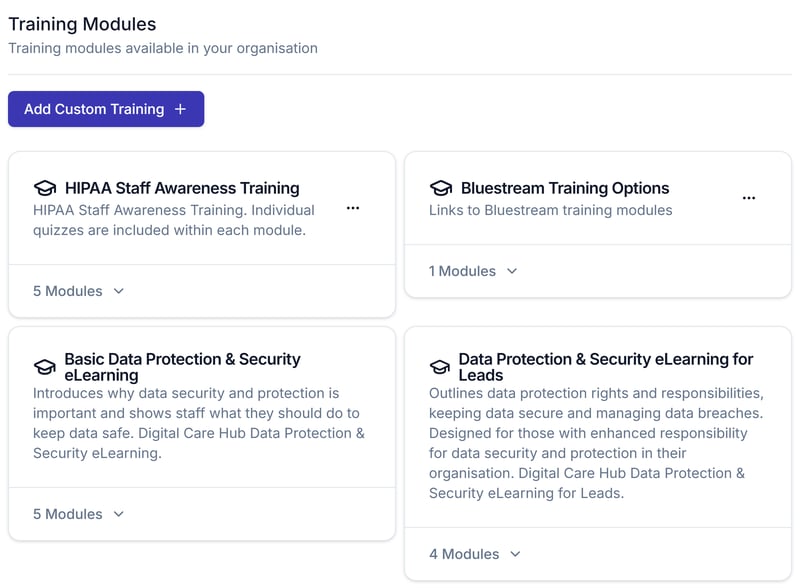
The Training Modules section. The two Digital Care Hub eLearning courses are built in; the others are this workspace's custom courses.
Reading completion status
In the Training Status table, lots of Overdue or Not assigned usually means training hasn’t reached everyone yet.
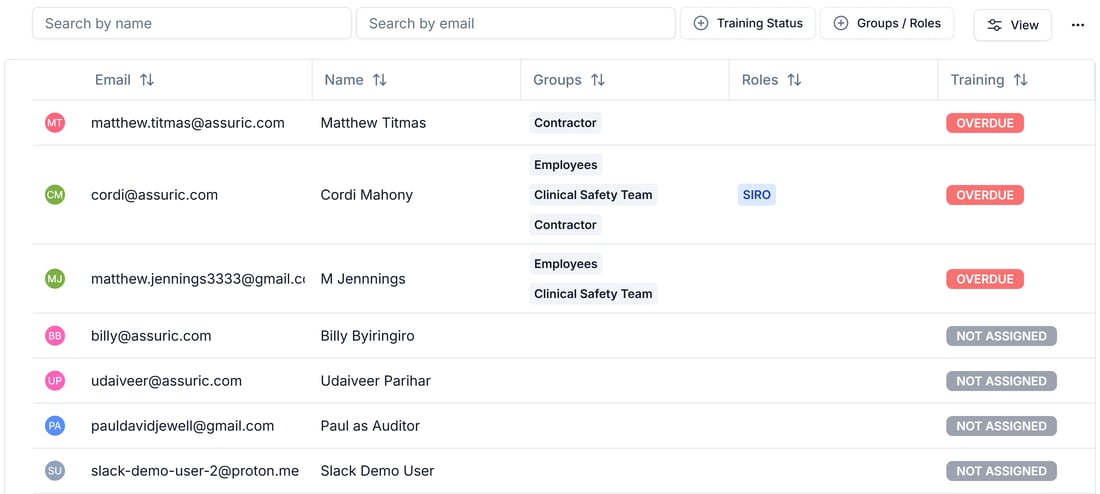
The Training Status table, listing each person's status alongside their groups and roles.
Related articles
Assign training through your checklists
Add a custom module and attach it to a checklist.
Create, assign and publish a checklist
Where training actually gets assigned to someone.
People: Overview
Accounts, groups, roles, checklists and training in one place.