

Quick summary
- A hazard has causes, each cause has controls, and evidence on a control supports every hazard using it.
- Editing or deleting a linked cause or control changes it everywhere it’s used, but a copy is independent.
The four objects
Evidence hangs off a control, not the hazard, so one piece of evidence supports every hazard where that control appears. Causes and controls go into a shared bank every hazard can draw from, whichever hazard you created them on.
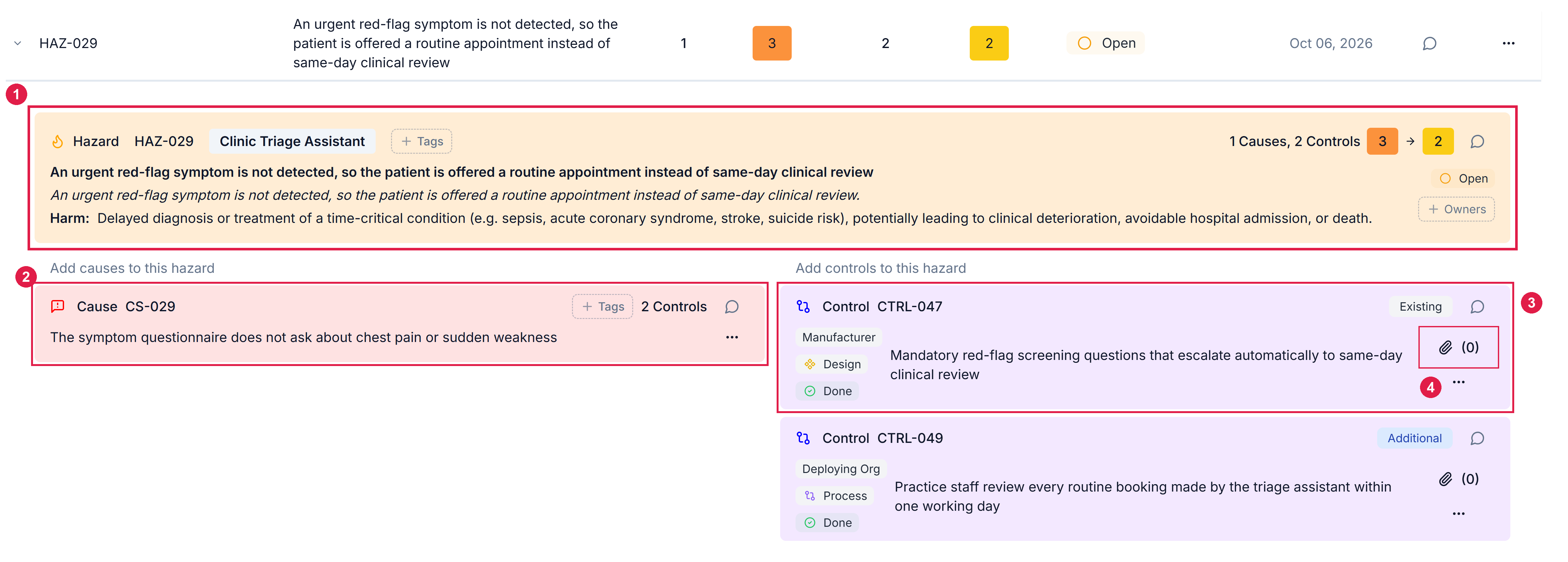
A hazard expanded in the Hazard Log. 1 The hazard. 2 One of its causes. 3 One of that cause's controls. 4 The paperclip that opens the control's evidence.
Copy or link
Pulling a cause or control from the bank offers a copy icon and a link icon.- Copy
- Link
Takes the text only.
- Its controls and evidence don’t come with it.
- Editing it later affects only this hazard.
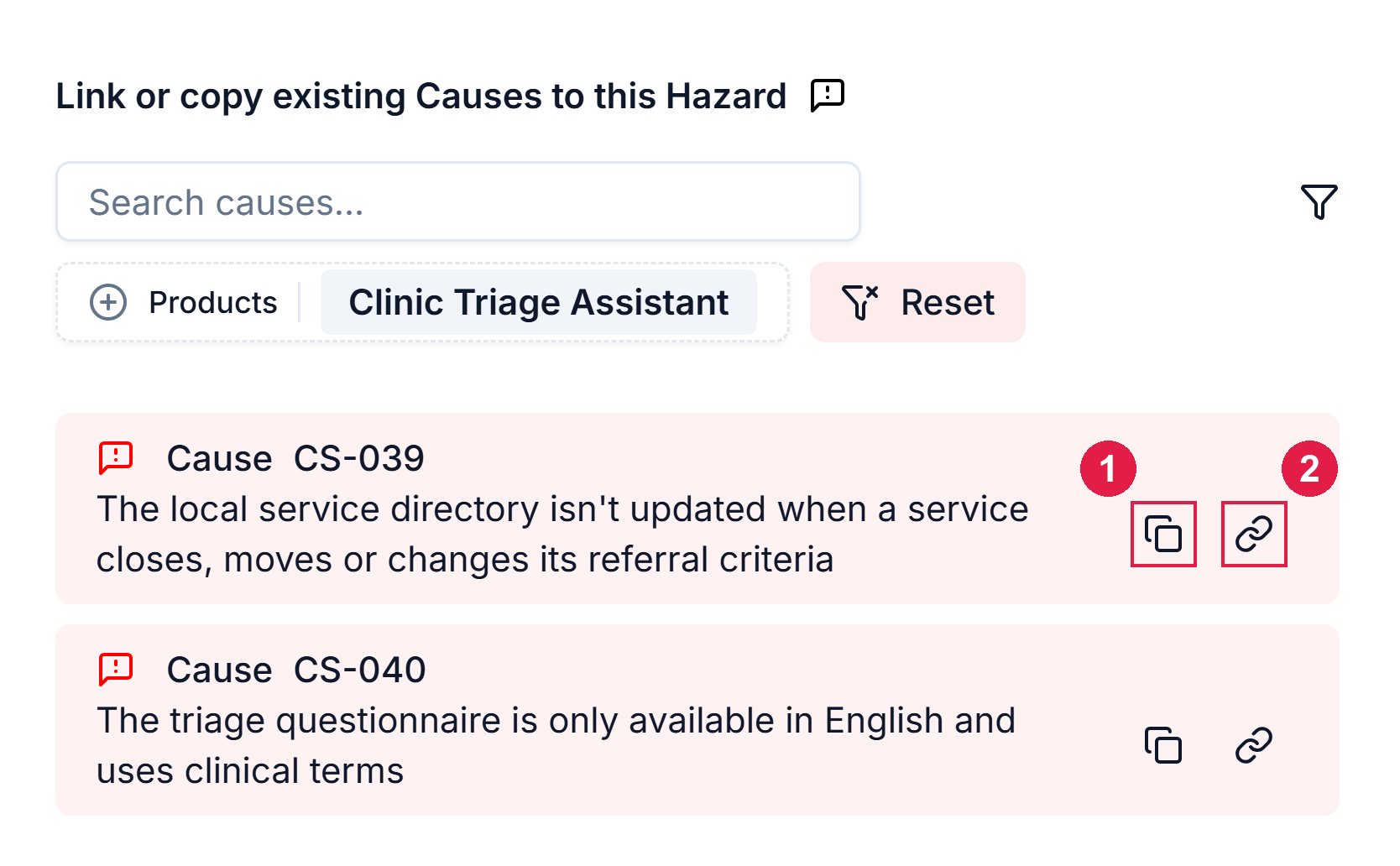
A cause in the Link or copy existing Causes panel. 1 Copy takes the text only. 2 Link connects to the original.
Evidence
There are 2 routes to the same evidence pop-out, behind a control’s paperclip icon:- From the hazard log
- From the Controls tab
Open the hazard, select the control, and click the paperclip icon.
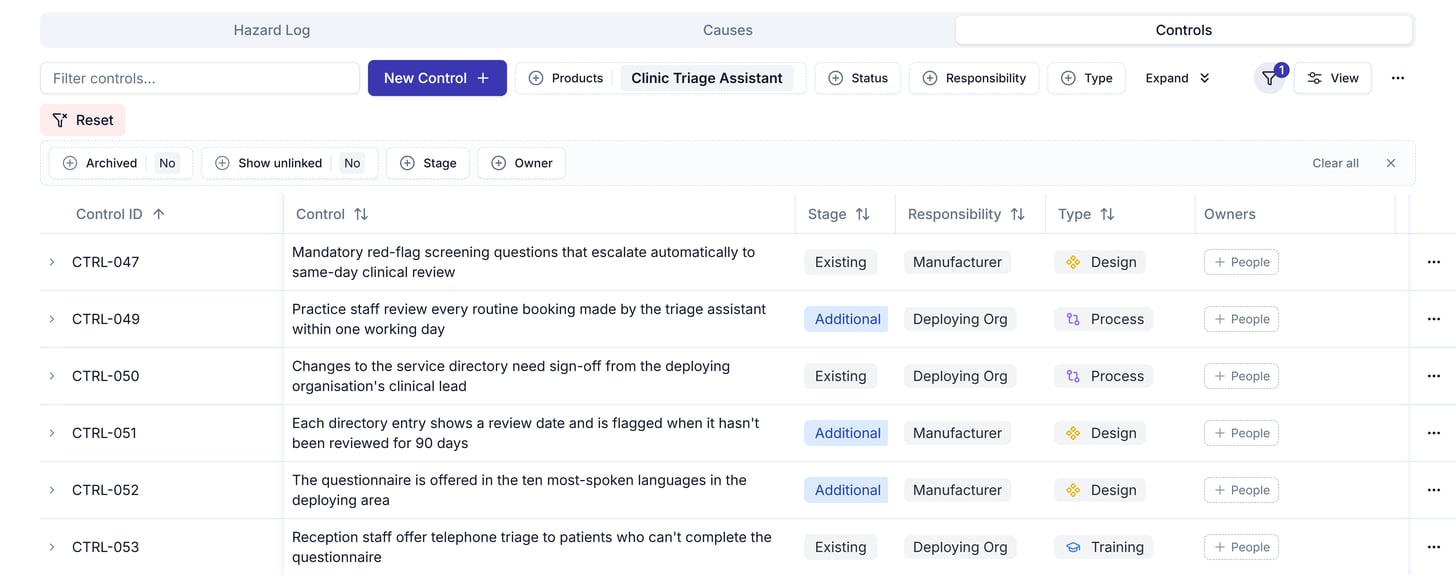
- Choose an existing document where there is one, so the evidence links to it instead of uploading a copy.
- Document Version points at one specific version, so check the control still points to the current version after the document is re-approved.
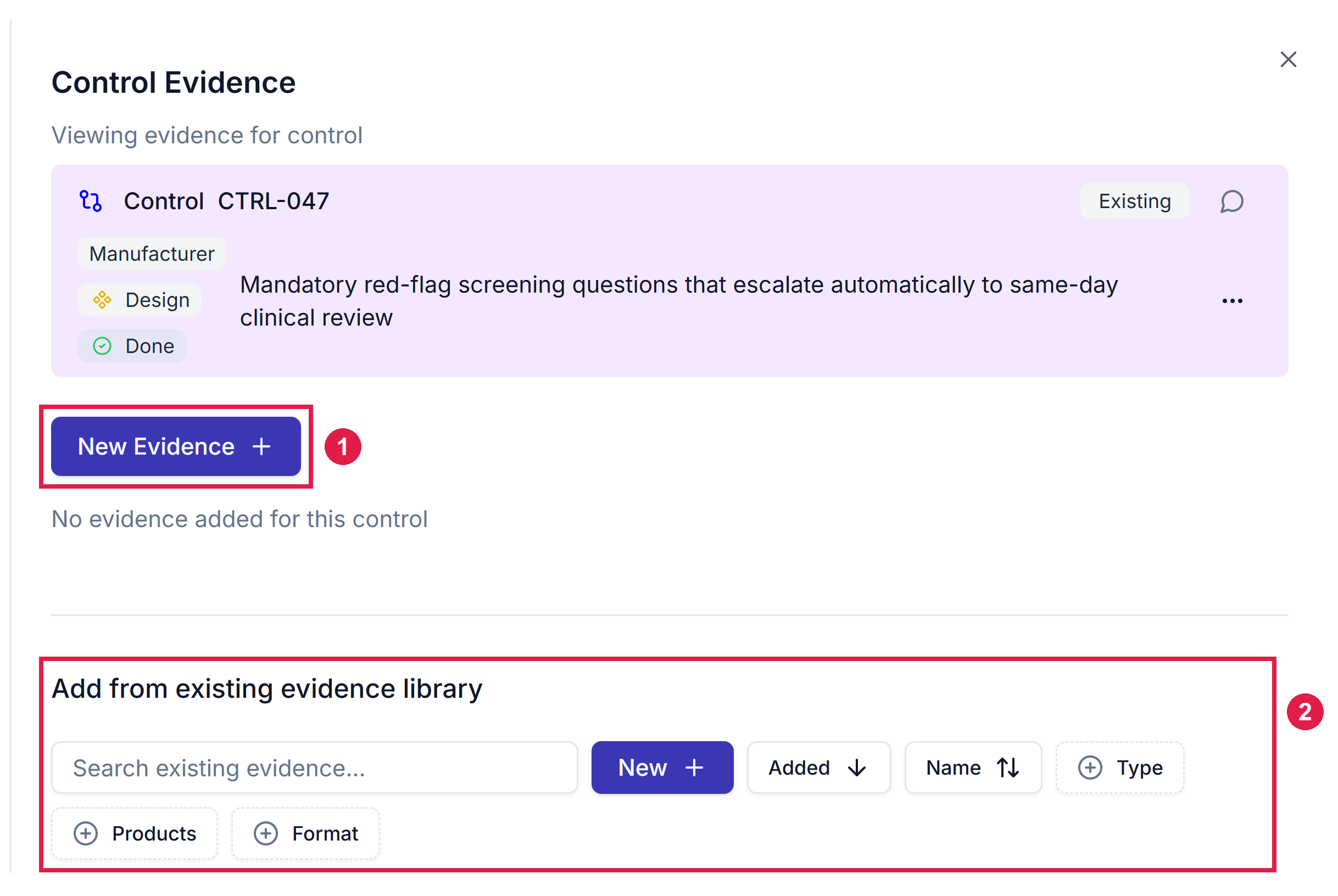
The Control Evidence panel, opened from a control's paperclip. 1 New Evidence adds a Link, Upload, Note or Document Version. 2 Add from existing evidence library attaches one that already exists.
Related articles
Create a hazard
The end-to-end procedure, using the model above.
Manage hazards
Editing, archiving or deleting a shared item.