

Quick summary
- The hazard log holds your hazards, their causes, the controls on each cause and the evidence behind each control.
- Some hazard log columns, such as likelihood and severity, are hidden until you show them with View.
- The hazard log hides archived items until you add the Archived filter from the funnel in the toolbar.
How the hazard log fits together
A hazard has causes, each cause has controls, and each control carries evidence. See The four objects.- Build it: Set up hazard IDs and statuses, Create a hazard, Causes, controls and evidence, Manage your hazard log with AI and Risk scales and thresholds.
- Keep it current: Manage hazards.
- Sign it off and share it: Approve and version your hazard log, Share and publish your hazard log and Export a hazard log.
Read the hazard log
Clinical Safety → Hazard Log has 3 tabs: Hazard Log, Causes and Controls. Above them, the Hazards and Controls tiles follow your filters and the product you select. None on the Hazards tile’s Residual Risk bar means a hazard isn’t rated yet. On the Hazard Log tab, the toolbar narrows the table:
To change several hazards at once, tick their rows. A bar shows how many are selected, with:
- Products and Status to set them all together.
- ⋯ for more actions.
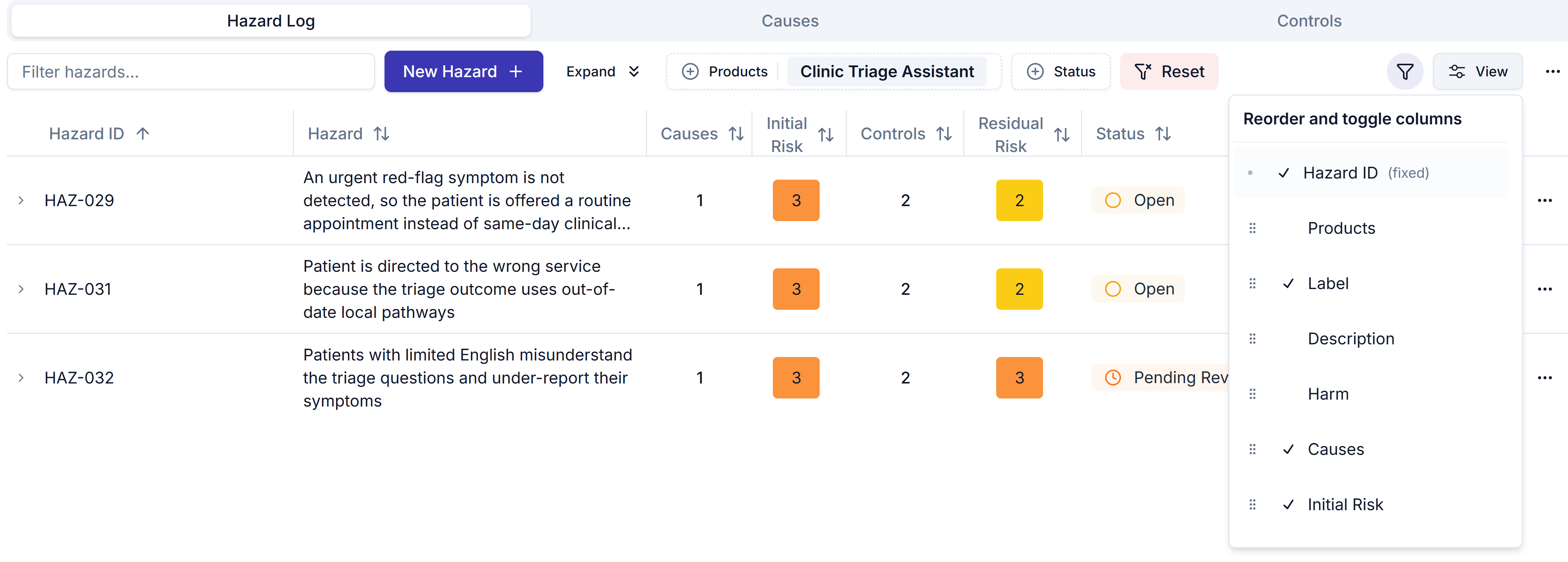
The Hazard Log tab with the View menu open, where you show, hide and reorder columns.
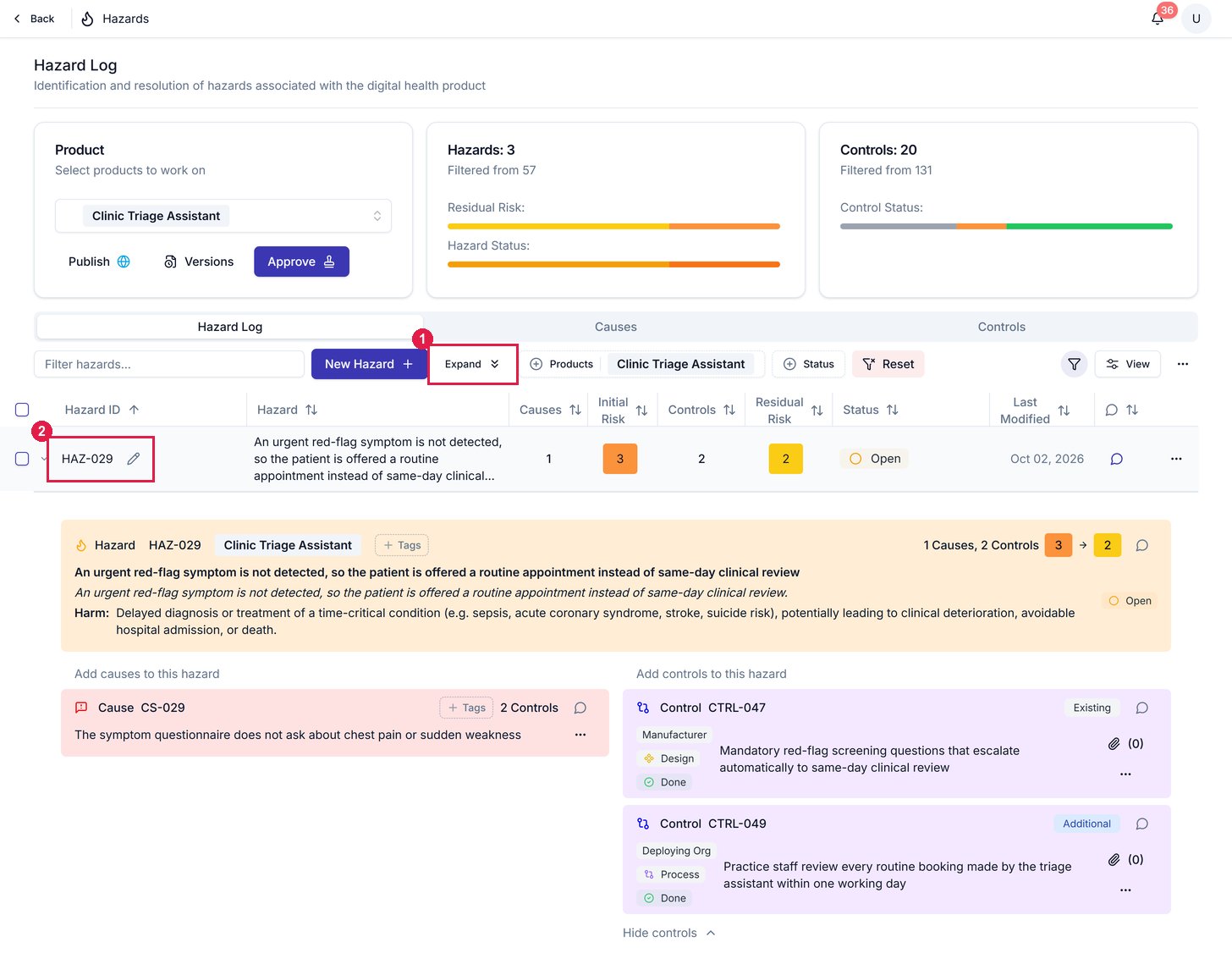
1 Expand opens every hazard inline. 2 A hazard's ID opens just that row: HAZ-029 expanded, showing its cause and controls.
Related articles
Manage hazards
Archive instead of deleting, and what to do when something changes.
Create a hazard
Add a hazard, set its ID, score it and choose its status.